Arc Raiders Best Controller Settings: Aim, Deadzone, FOV, and Responsiveness
Updated Published
On this page
Arc Raiders feels much better on controller when your deadzones, aim response, and ADS sensitivity are balanced for tracking instead of overcorrecting. These settings give you a strong starting point for cleaner aim and more predictable input.
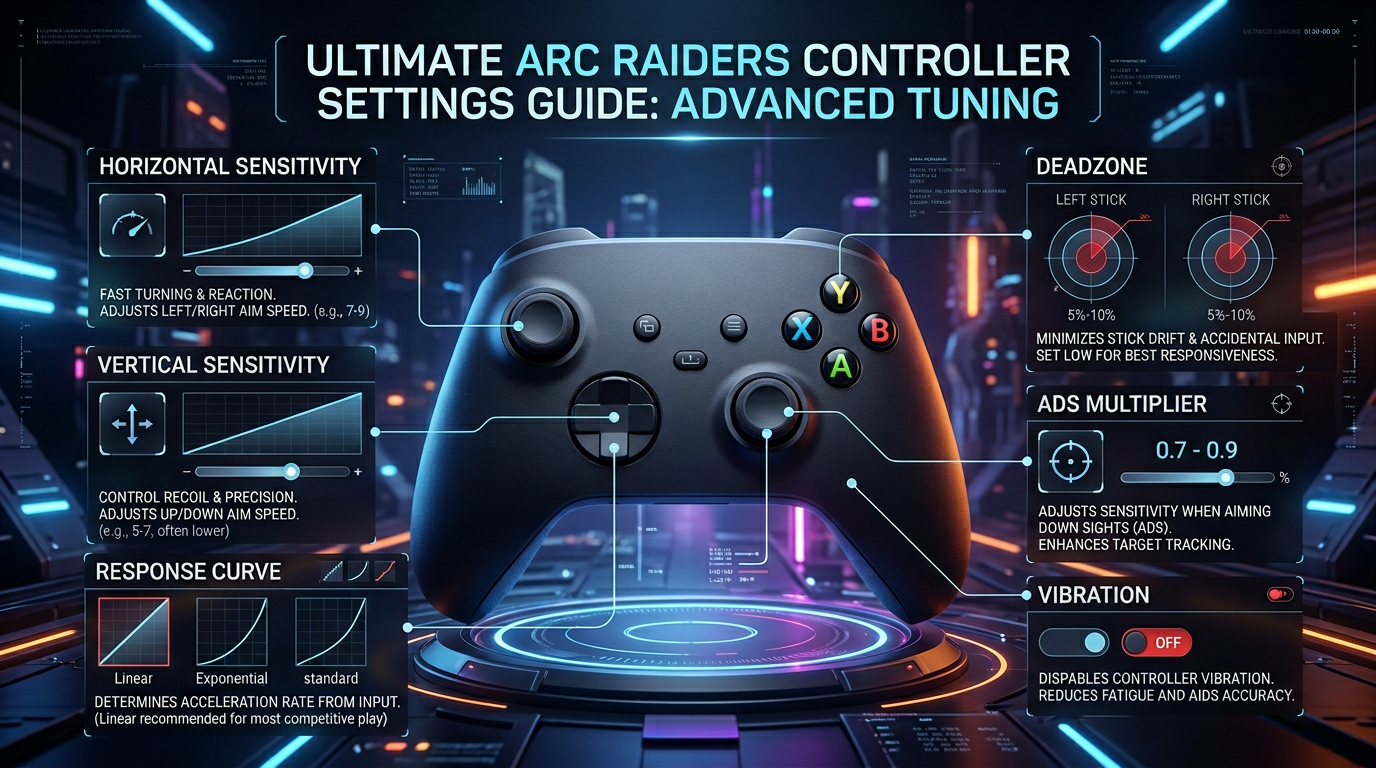
Use these values as a baseline, then fine-tune after a few real matches instead of one firing-range test.
Arc Raiders best controller settings: quick reference
| Setting | Recommended starting point |
|---|---|
| Horizontal Sensitivity | Medium-high |
| Vertical Sensitivity | Medium |
| ADS Sensitivity Multiplier | 0.80 to 0.90 |
| Left Stick Deadzone | 5% to 10% |
| Right Stick Deadzone | 5% to 10% |
| Response Curve | Linear or the least delayed option available |
| Vibration | Off |
| Aim Smoothing | Off or as low as possible |
If your aim feels shaky, lower horizontal sensitivity one step before increasing deadzone. Large deadzones can make your stick feel slow and muddy.
Why deadzone matters so much
Deadzone controls how much you need to move the stick before the game starts responding. Too high, and your aim feels delayed. Too low, and you can get drift or inconsistent micro-adjustments.
Best approach
- Start around
5%. - Increase only if you notice stick drift.
- Keep both sticks as low as your controller can handle cleanly.
For most players, the best controller setup is not the fastest one. It is the setup that lets you make small corrections without fighting your own inputs.
Horizontal and vertical sensitivity
In Arc Raiders, you need enough speed to track targets while moving through open spaces, but not so much that recoil control and fine aim become messy.
Good starting rule
- keep horizontal slightly higher than vertical
- lower sensitivity if you keep over-flicking past targets
- raise it if turning on flanks feels too slow
If you play on a TV or high-input-lag display, your settings can feel worse than they actually are. The guide on How to Optimize Your Monitor for Gaming helps fix that side of the problem.
ADS multiplier recommendations
Your ADS multiplier should make aiming down sights feel controlled without becoming sluggish.
Try these ranges
0.70to0.80if you want steadier long-range tracking0.80to0.90for a balanced all-around setup0.90to1.00if you already use lower base sensitivity
If your hip-fire feels good but ADS feels chaotic, the multiplier is usually the setting that needs work, not your entire controller setup.
Best FOV for Arc Raiders on controller
Field of view interacts directly with stick aim. The best FOV in Arc Raiders for most players is 90 to 100, and controller players usually do best in the lower half of that range.
90to95— targets stay larger, which makes stick tracking and recoil control easier96to100— more peripheral awareness for flanks and open ground, at the cost of smaller distant targets- above
100— only worth it if you rarely fight at long range and your sensitivity is already dialed in
Higher FOV also costs a few FPS because the game renders more of the scene. If you raise FOV, double-check your frame rate stays stable using the Arc Raiders optimization guide, and keep clutter-reducing options from the Arc Raiders best visibility settings so smaller targets stay readable.
Turn vibration off
Vibration adds noise to your inputs and can make tracking less consistent during sustained fights. It also causes unnecessary hand fatigue during long sessions.
For competitive play:
- turn Vibration off
- reduce unnecessary camera shake if the game allows it
- disable extra haptics or trigger effects on supported controllers
Response curve and aim feel
If Arc Raiders offers response curve options, use the most direct option you can control comfortably. A more linear curve usually makes your small stick movements feel more predictable.
Choose a softer curve only if:
- your aim is too twitchy at low deadzones
- you struggle with overcorrection
- your controller has worn sticks
Controller plus system settings
Your in-game settings are only part of the experience. For lower latency and better consistency:
- Use a wired controller connection if possible.
- Disable unnecessary overlays.
- Turn V-Sync off in-game.
- Cap FPS near your monitor refresh if frame pacing feels unstable.
- Close apps running in the background.
If your controller still feels delayed, read Arc Raiders Stuttering Fix: Stop FPS Drops and Frame Time Spikes on PC and How to Minimize Input Delay for Competitive Gaming.
Settings to test if your aim feels inconsistent
If your aim still feels wrong after the baseline setup, test only one variable at a time.
Change these in order
- Right stick deadzone
- ADS multiplier
- Horizontal sensitivity
- Response curve
This helps you identify the real problem faster instead of losing track of what improved the feel.
Best controller setup by playstyle
Aggressive close-range players
- slightly higher horizontal sensitivity
- lower right stick deadzone
- balanced ADS multiplier around
0.85
More disciplined mid-range players
- moderate base sensitivity
- lower ADS multiplier near
0.75to0.80 - vibration off and the cleanest response curve available
Related guides
- Arc Raiders Best Audio Settings for Footsteps and Directional Sound
- Arc Raiders Best Visibility Settings for Competitive Play
- Arc Raiders Stuttering Fix: Stop FPS Drops and Frame Time Spikes on PC
- How to Minimize Input Delay for Competitive Gaming
The best Arc Raiders controller settings are the ones that stay controlled under pressure. Start with low deadzones, sensible ADS values, and vibration off, then make small adjustments based on real-match tracking rather than guesswork.
Frequently asked questions
What are the best controller settings for Arc Raiders?
Start with 5-10% stick deadzones, an ADS multiplier of 0.80 to 0.90, a linear response curve, and vibration off. Tune horizontal sensitivity first and change only one setting at a time after real matches.
What is the best FOV in Arc Raiders?
90 to 100 is the best range for most players. Controller players tracking with sticks often prefer 90 to 95 so targets stay larger, while 100 gives more peripheral awareness on open maps.
What deadzone should I use in Arc Raiders?
Start both sticks at 5% and raise only if you notice stick drift. Lower deadzones make small aim corrections feel faster; large deadzones make the stick feel delayed and muddy.
Why does my controller feel delayed in Arc Raiders?
Check aim smoothing (turn it off or minimize it), use a wired connection, turn V-Sync off, and make sure the game itself is not stuttering. Display input lag from a TV is another common cause.